FREE PICK UP AND DELIVERY FOR ALL OF OUR ONLINE CUSTOMERS
FREE PICK UP AND DELIVERY FOR ALL OF OUR ONLINE CUSTOMERS
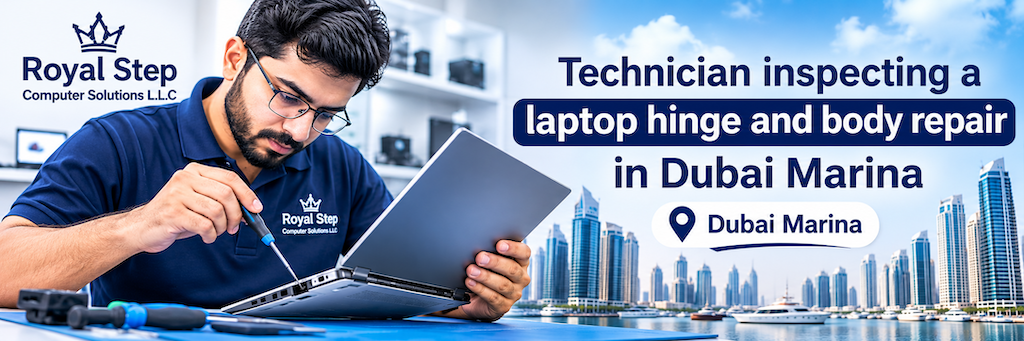
A loose hinge, a cracked laptop lid, or a body panel that no longer sits flush can make a good device feel worn out long before its time. Many people in Dubai Marina put up with these problems for months, usually because they are not sure whether the damage is serious. Often it is simpler to fix than they expect, and a quick repair also gives you a chance to check the software and keep the device running well.
If you live, work or study around the Marina, your laptop or phone probably goes everywhere with you. Between the commute, the café and the gym, it takes a lot of knocks. This guide explains the common signs of hinge and body damage, what a proper repair involves, and why updating the software at the same visit makes sense. For an overview of everything we handle, see our device repair services.
Hinges and body panels take daily stress, especially on laptops that are opened and closed many times a day. Watch for these warning signs:
Ignoring these issues can cause more serious damage. A loose hinge can stress the display cable, and a cracked casing can allow dust into the internal components. If you notice any of these signs, have the device checked sooner rather than later. Our laptop hinge repair service covers inspection and replacement for most common models.
A good repair starts with diagnosis, not a quick fix. A technician should first confirm whether the problem is the hinge, the display bracket, the casing or a combination of these. Repairing the wrong part wastes money and time.
A typical repair includes:
For cosmetic damage, such as a scratched or dented body panel, it helps to ask whether the repair is structural or purely visual. Our laptop body repair service can help you decide which option makes sense for your device.
Hardware repairs and software updates complement each other well. After a hinge or body repair, the device should be running current firmware and drivers, particularly if the display or graphics components were reconnected. Outdated display drivers can cause flickering or resolution problems that look like a hardware fault.
Software maintenance at the same visit can include:
Before making any changes, we back up your important data. You can learn more about our software update service.
For Apple devices, Apple’s own guidance on keeping your Mac up to date is a useful reference. For Windows machines, Microsoft provides a helpful page on keeping Windows up to date.
When you search for body and hinge repair near me in Dubai Marina, you want a provider who explains the problem clearly and gives you a fair price before work starts. Ask how the repair is done, whether genuine or quality replacement parts are used, and what warranty applies.
At Royal Step, we inspect the device, explain what we find and only proceed once you approve. If a repair is not worth the cost for your model, we will tell you honestly. Visit our contact page to arrange an appointment, or read more about our repair services.
Before booking a repair, you can check a few things yourself:
If the problem is getting worse, a professional inspection is the safest next step. Our device diagnostic service can identify the cause quickly.
A loose hinge or damaged body is easier to fix when you act early. A single visit can repair the hardware and bring your software up to date, so your device feels reliable again. Residents and workers around Dubai Marina can book an appointment with Royal Step at a time that suits them.
Can a loose laptop hinge be repaired, or does the whole device need replacing?
In most cases, the hinge or the surrounding bracket can be repaired or replaced. A full replacement is rarely necessary unless the damage is extensive.
How long does a hinge or body repair take?
Many repairs are completed within the same day, depending on parts availability and the device model.
Will a repair affect my warranty?
It can, depending on the manufacturer’s terms. Check your warranty before booking, or ask us to confirm what applies to your device.
.


